Enhanced Security: Introducing Comprehensive Access Logs in Arqut Edge
Security and privacy are the cornerstones of a reliable smart home ecosystem. While we recently expanded the Arqut ecosystem with robust multi-camera RTSP streaming and secure remote group sharing, we know that having total visibility over who and what accesses your local network is just as crucial.
To provide you with complete peace of mind, we are excited to introduce the all-new Access Logs feature in Arqut Edge. This upgrade transforms your local gateway into a transparent, auditable security hub, giving you real-time visibility into every incoming remote connection.
Here is a closer look at what this feature brings and how it helps keep your smart home fortified.
What are Access Logs?
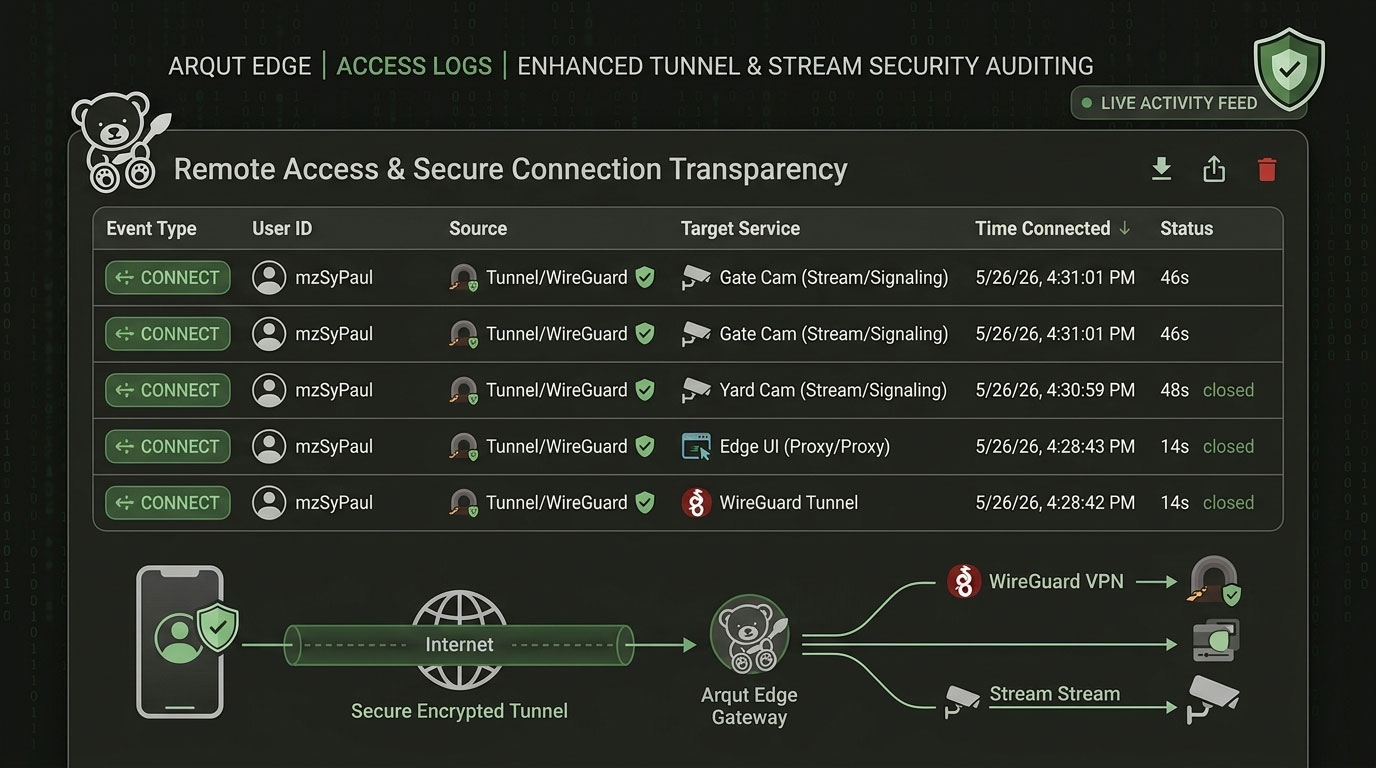
The new Access Logs interface provides a centralized, chronological audit trail of all remote connection requests made to your Arqut Edge gateway. Whether a request comes from the Arqut Mobile App or the Desktop client, every single secure tunnel interaction is fully documented.
With this update, you can monitor two core request statuses:
- CONNECTED: Successfully authenticated and established tunnel sessions.
- DENIED: Blocked or unauthorized connection attempts, ensuring full visibility into potential anomalies.
Deep-Dive into Log Data
The dashboard is designed to be highly intuitive, breaking down complex network telemetry into easily readable, actionable rows. Each log entry captures specific metadata to help you instantly verify the legitimacy of a connection:
- User Identity: See exactly which registered user account (e.g., via email or user profile) is initiating the session.
- Target Service/Stream: Understand exactly what resources are being accessed—whether a user is opening the web panel (
Edge UI), looking at a smart home interface (Home Assistant), or viewing a specific live camera feed (Stream Group). - Time & Client Details: Track the exact timestamp of the activity along with the client device type (Mobile or Desktop app) for granular auditing.
Why This Matters for Your Smart Home
1. Verification of Shared Access
Now that Arqut allows you to share specific Stream Groups (like your Front Yard cameras) with family members or neighbors, the Access Logs panel lets you ensure that shared accounts are interacting with the system exactly as intended.
2. Immediate Threat Detection
By keeping an eye on DENIED logs, you can spot unauthorized attempts immediately. If an old device or an un-shared profile tries to access a restricted local service or camera stream, Arqut Edge flags and blocks it, leaving a clean record for you to review.
3. Compliance and True Privacy
Because Arqut processes these logs locally on your Edge gateway rather than storing raw video or credential activity on a vulnerable third-party cloud, you retain absolute ownership over your home’s security data.
How to View Your Access Logs
Checking your network audit trail is simple:
- Log into your local Arqut Edge Web UI.
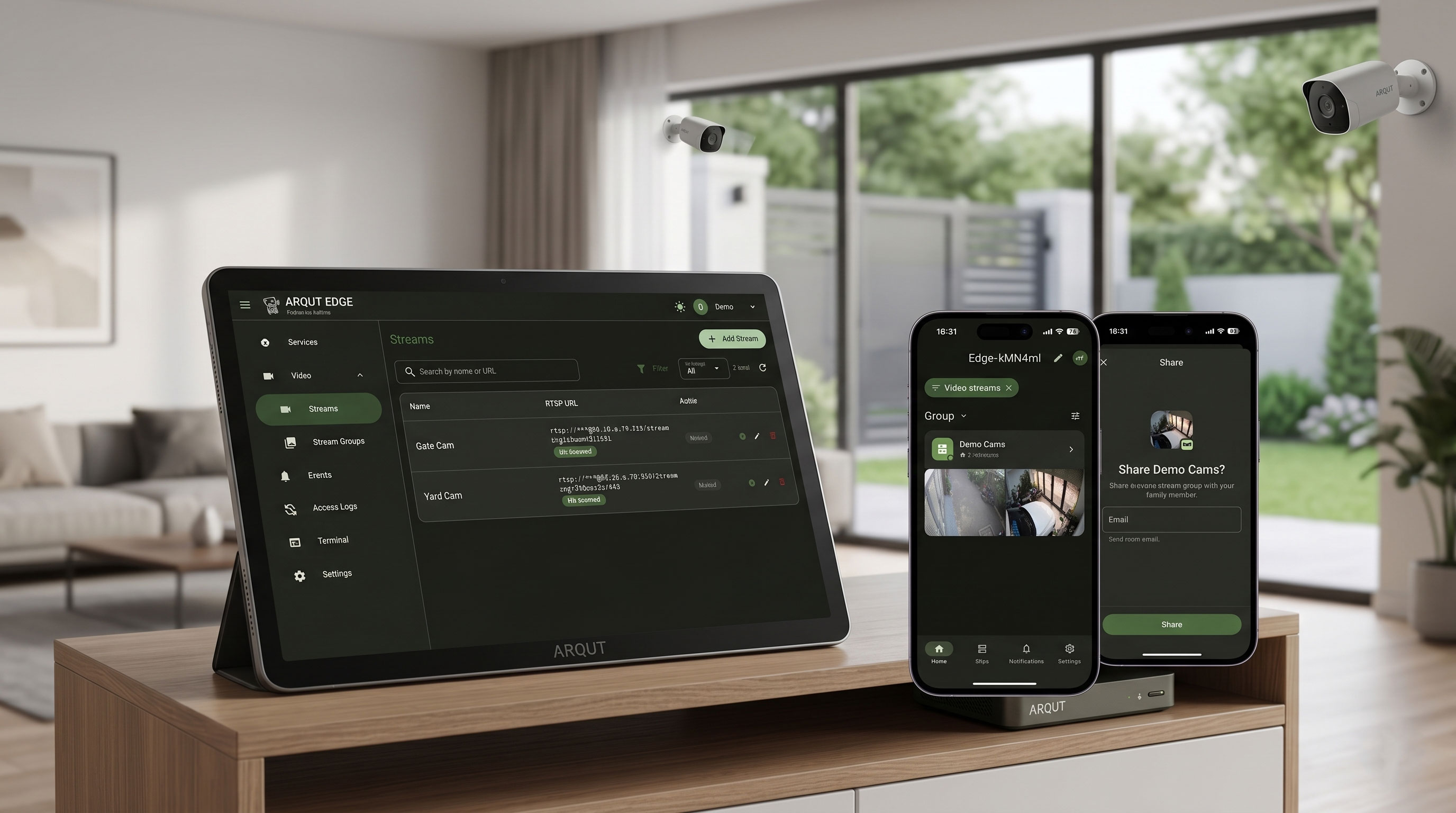
- On the left-hand sidebar, navigate to the Access Logs tab (located right under your Video and Events sections).
- Here, you will find the real-time scrolling table displaying all historical and live connections. You can filter by status or search for specific user accounts to quickly audit activities.
Keep Your Gateway Fortified
This security milestone ensures that your private home feeds, automation scripts, and local network configurations remain truly private, with you holding the keys to the castle.
Update your Arqut Edge gateway to the latest version today to unlock the Access Logs dashboard and bring enterprise-grade auditing to your smart home environment.