Introducing Video Streaming & Camera Groups in Arqut Edge and Mobile App
Great news for smart home enthusiasts and security-conscious users! We are thrilled to announce a powerful new update for the Arqut ecosystem. Managing and monitoring your home surveillance system has never been easier or more seamless.
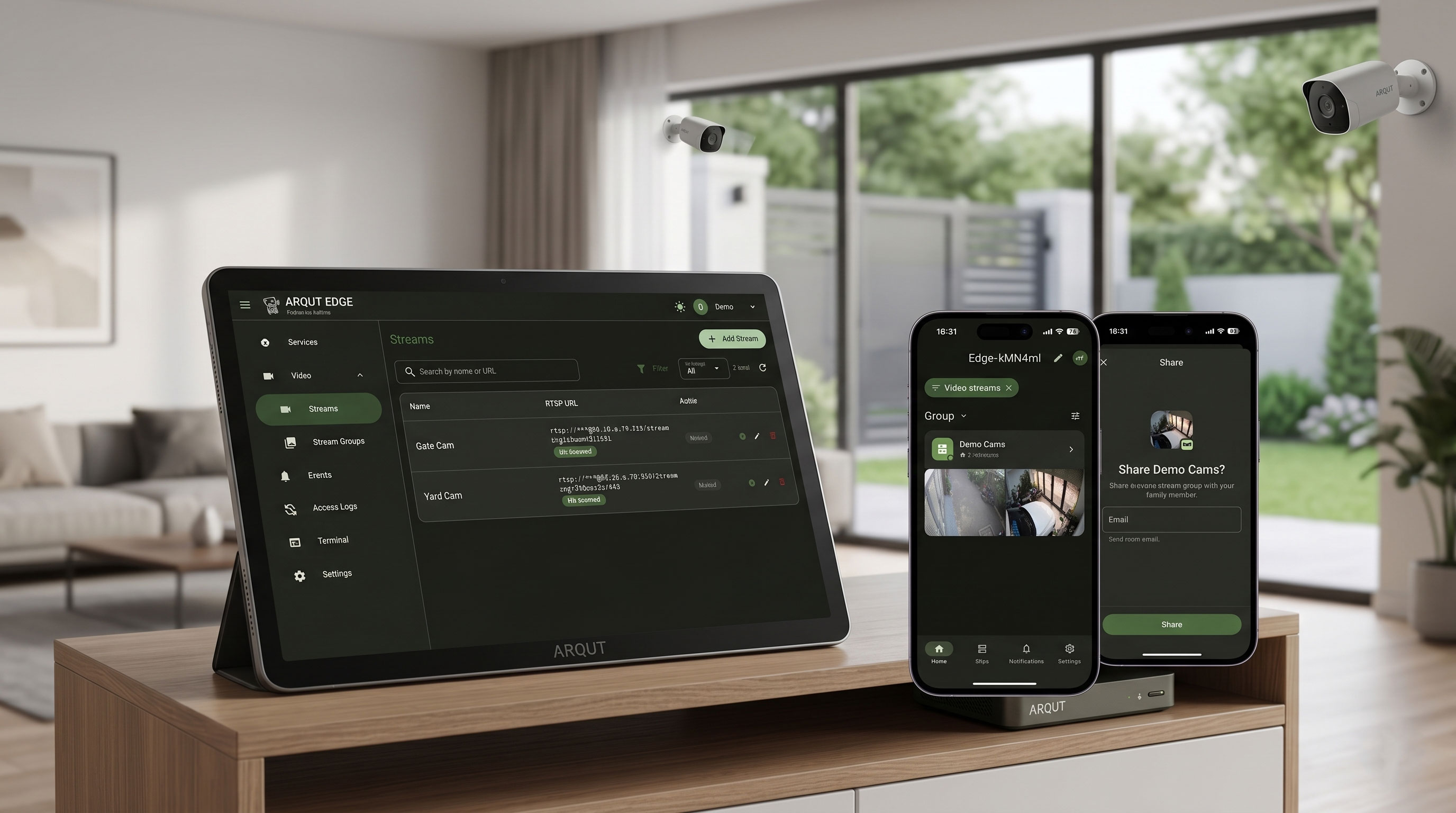
With the latest update, Arqut Edge now natively supports RTSP IP Camera streams, allowing you to consolidate your network cameras into localized groups. Combined with the brand-new Video Groups section on the Arqut Mobile App, you can now securely monitor your home live from anywhere in the world, and easily share access with your family members.
Let’s dive into what’s new and how to set it up!
What’s New?
1. Arqut Edge: RTSP Stream Support & Stream Grouping
Your local Arqut Edge gateway is now capable of acting as a centralized hub for your IP cameras.
- RTSP Protocol Integration: You can add any IP camera that streams via the standard RTSP protocol using your local network URLs.
- Stream Groups: Instead of managing cameras individually, you can now bundle multiple camera feeds into logical sets (e.g., creating a “Demo Cams” group or a “Front Yard” group).
2. Arqut Mobile App: Remote Viewing & Secure Sharing
The mobile application receives a major UI and functional upgrade to complement the Edge features:
- Dedicated Video Groups Section: Directly accessible from your site details screen, displaying all camera clusters configured on your Edge gateway.
- Live Grid Thumbnails: The Home tab now dynamically renders a multi-camera grid preview, letting you see what’s happening at a glance.
- On-Demand Remote Streaming: Tap into any group or specific camera to initiate a secure, encrypted live stream from outside your local network.
- Family Sharing: You can securely share specific Stream Groups with other family members or team accounts without giving away full administrative access to your Edge setup.
Step-by-Step Configuration Guide
Step 1: Adding IP Cameras to Arqut Edge
First, ensure your cameras are connected to the same local network as your Arqut Edge gateway.
- Open your web browser and navigate to your local Edge UI dashboard (e.g.,
homeassistant.local:3030). - On the left sidebar, navigate to Video $\rightarrow$ Streams.
- Click on the + Add Stream button in the top right corner.
- Fill in your camera details:
- Name: Give your camera a clear descriptor (e.g.,
Gate Cam,Yard Cam). - RTSP URL: Input your camera’s RTSP link using the standard format:
rtsp://username:password@<Camera_IP_Address>:554/Streaming/Channels/101
- Name: Give your camera a clear descriptor (e.g.,
- Save the stream. The status will display as On-demand, meaning it will only pull bandwidth when someone actively watches the feed.
Step 2: Organizing Streams into Groups
Once your individual cameras are added, create a group to streamline mobile viewing:
- Under the Video section in the sidebar, click on Stream Groups.
- Create a new group (e.g.,
Demo Cams) and select the cameras you want to include in this group (such as bothGate CamandYard Cam).
Step 3: Accessing Live Feeds on Arqut Mobile
Once configured on the Edge web panel, the updates sync automatically with your mobile app.
- Open your Arqut Mobile App and navigate to your home site (e.g.,
Edge-kMN4ml). - Scroll down to the new Video Groups section. You will see your newly created
Demo Camscluster showing the total number of linked cameras. - Tap on the group to launch the multi-view layout. From here, you can tap on any individual camera grid item to expand it into full-screen remote viewing mode.
Seamless Remote Access Ecosystem
This update perfectly rounds out the remote capabilities of your Arqut setup. Alongside managing your core web services—like Edge UI (:3030), your local Router settings (:80), Home Assistant (:8123), or OpenHAB (:9080)—you now have a dedicated, low-latency video matrix right in your pocket.
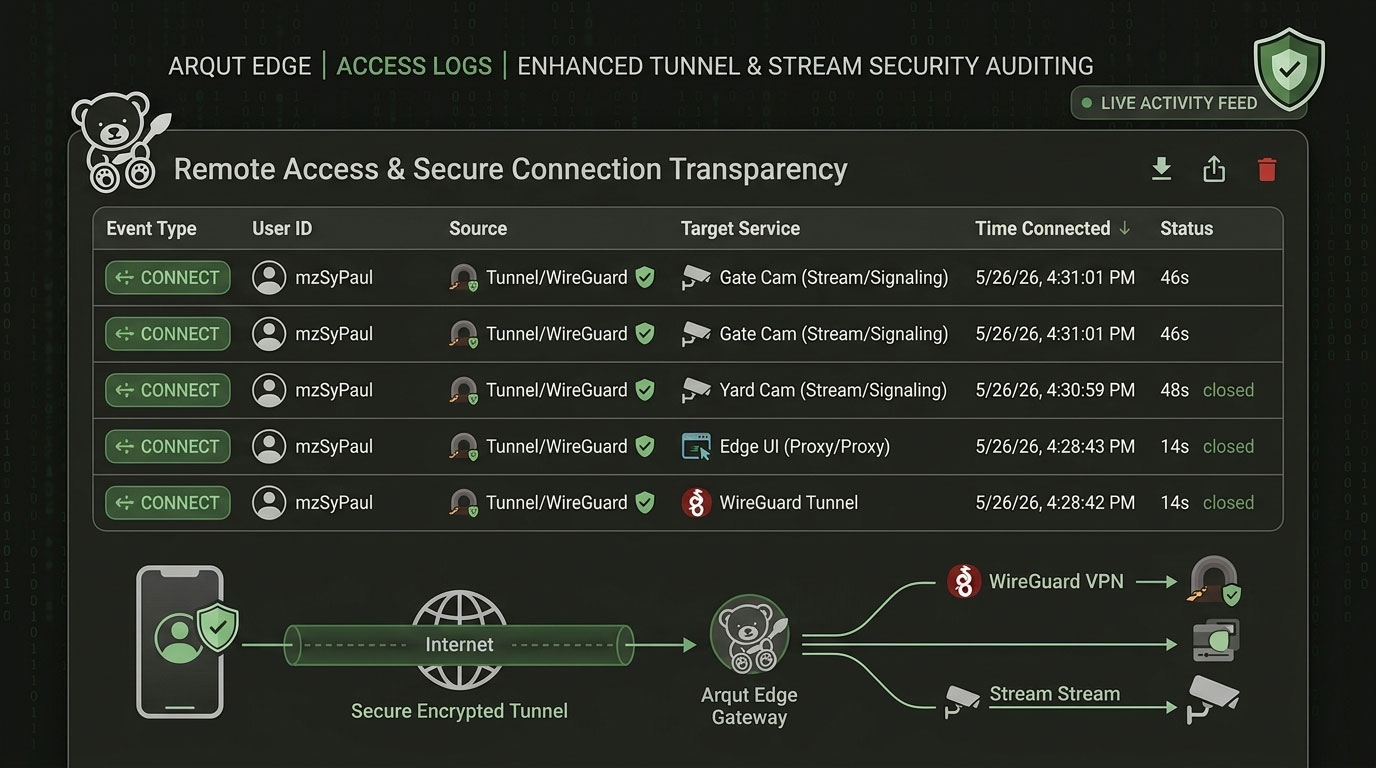
Because Arqut handles the secure tunnel end-to-end, you don’t need to expose your RTSP camera ports to the open internet, keeping your private home feeds entirely safe from external vulnerabilities.
Update your Arqut Edge gateway to the latest version and download the newest Arqut Mobile App from the App Store / Google Play today to try out these features!